
Support
We’re here to help you
With NeMeA Sistemi, you can access personalised technical and operational support from Monday to Friday – 8.30 am to 5.30 pm.
If you need support, we’re on hand to help with any issues you may have using our remote support software. The NeMeA team is ready to assist with any queries you may have; for more information, please visit the page Contact Us.
Software setup instructions
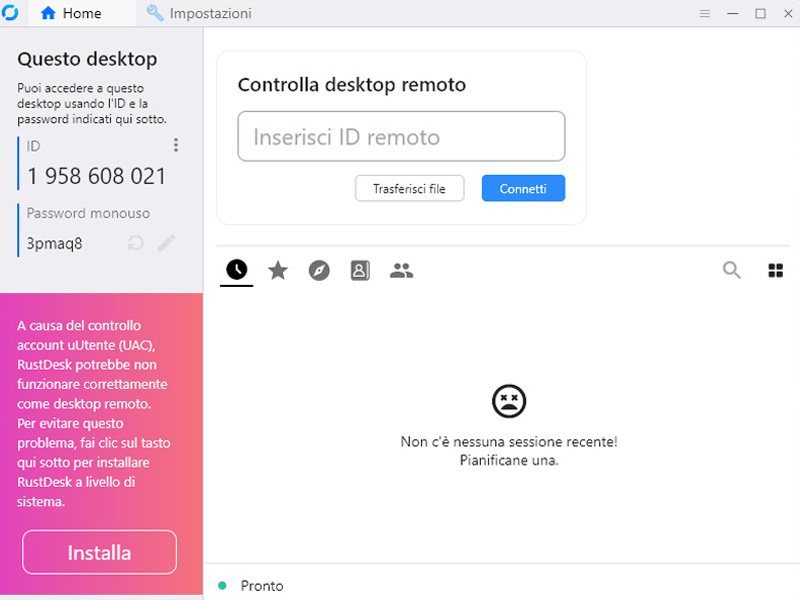
- Open the programme
- Go to Settings (the three dots above the ID)
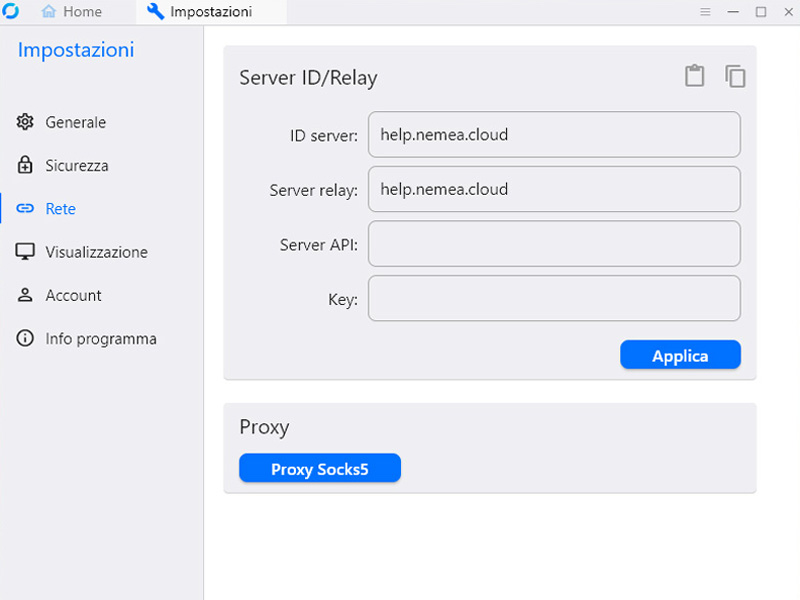
- Click on ‘Network’
- On the pitch
- In the “ID Server” field, enter: help.nemea.cloud
- In the “Relay Server” field, enter: help.nemea.cloud
- Ensure that the following ports are open in the firewall
- TCP: 21114, 21115, 21116, 21117
- UDP: 21116
Please note: For security reasons, the server’s IP address may change. We recommend that you check it periodically to ensure it is correct.
Contact us
Send an email to INFO@NEMEASISTEMI.COM or fill in the form by clicking here.
Sign up for our newsletter
NeMeA Sistemi We are delighted to offer this additional service to everyone – customers and non-customers alike – designed to keep you up to date with the latest news regarding our Research and Development (R&D) projects, our services and new applications.